1. 碁峰資訊新書快報
[簡例] (檔名:gotopNewBooks.py)
爬取碁峰網站「http://books.gotop.com.tw/default.aspx」網頁,顯示最新消息區域中新書快報的資訊內容。
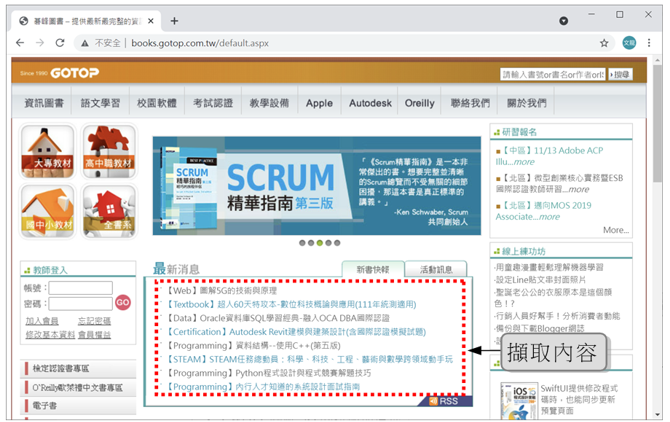
[結果]
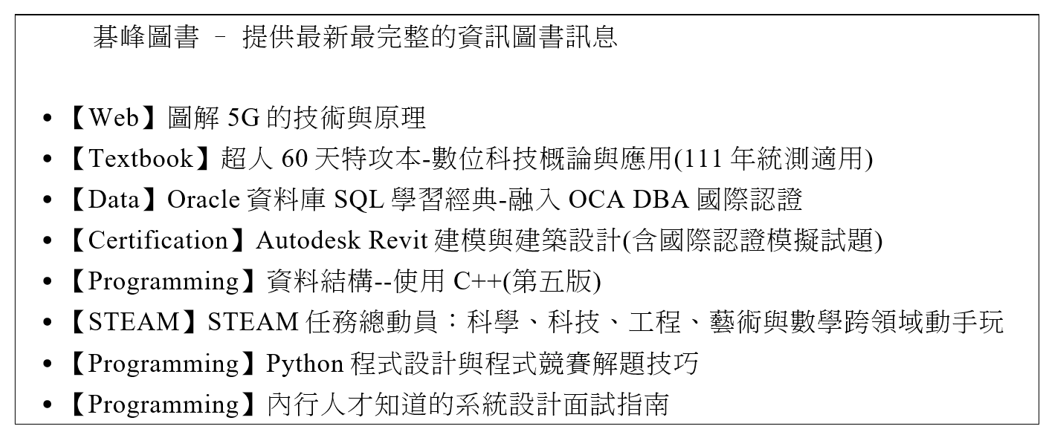
程式碼:
gotopNewBooks.pyimport requests from bs4 import BeautifulSoup urlstr='http://books.gotop.com.tw/default.aspx' responseObj=requests.get(urlstr) bs=BeautifulSoup(responseObj.text, 'html.parser') print(bs.title.text) #print(bs.select('#ctl00_labNews')) data=bs.select('#ctl00_labNews') link=data[0].find_all('a') for n in range(0, len(link)): print(link[n].text)
說明
- 第
4~5行:傳回Response物件,該物件名稱為responseObj,此物件可取得「基峰資訊圖書」 網頁資訊。- 第
6行: 使用BeautifulSoup函式建立解析html網頁程式碼(responseObj.text)- 第
8行:顯示網頁標題。- 第
11行: 使用select()方法取得id為「ctl00_labNews」的串列物件並指定給data。- 第
12行:因為data[0]為串列第一個元素,即是新書快報的區域,所以由data[0]執行find_all()方法取得該元素內所有的<a>標籤並指定給link串列。- 第
14~15行:使用迴圈印出所有新書名稱,即印出link串列中<a>標籤的內容。
2. 自動產生長峰資訊產品新訊網頁
[簡例] (檔名:evertopNewProducts.py)
取得長峰資訊網站「http://www.evertop.com.tw/」產品新訊的內容,並配合檔案存取自動建置產品新訊網頁。
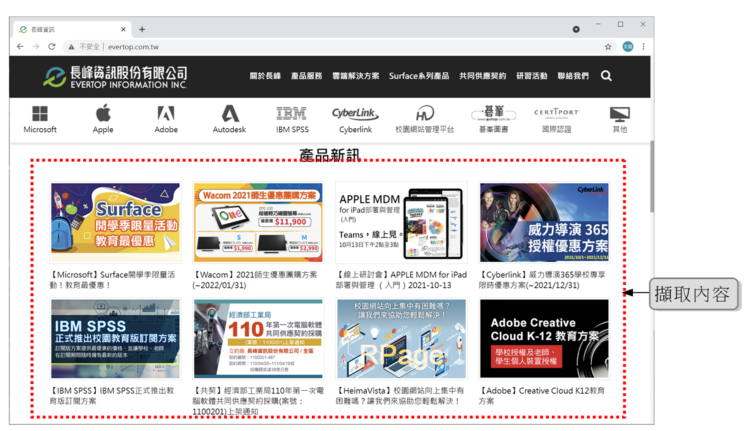
[結果]
自動產生網頁也擁有響應式網頁的效果。
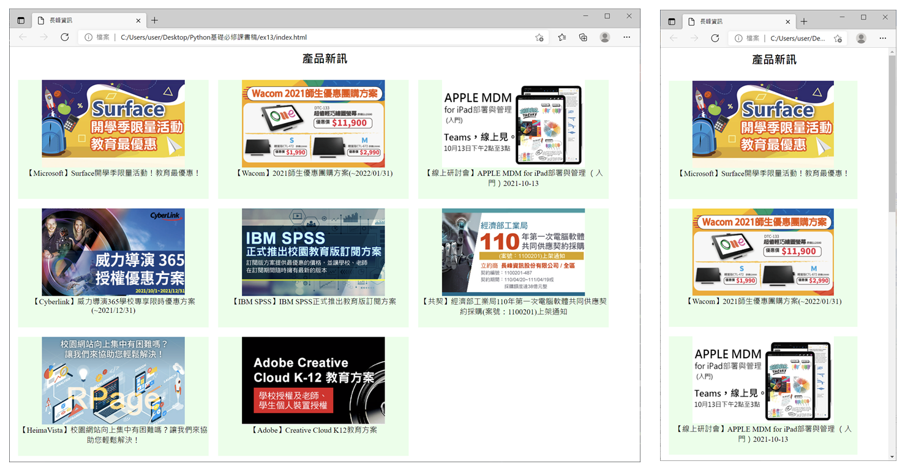
-
請連上 http://www.evertop.com.tw/ 網頁,並透過瀏覽器檢視此網頁的程式碼,結果發現商品新訊內容置於第
2個<select class="mb">內。
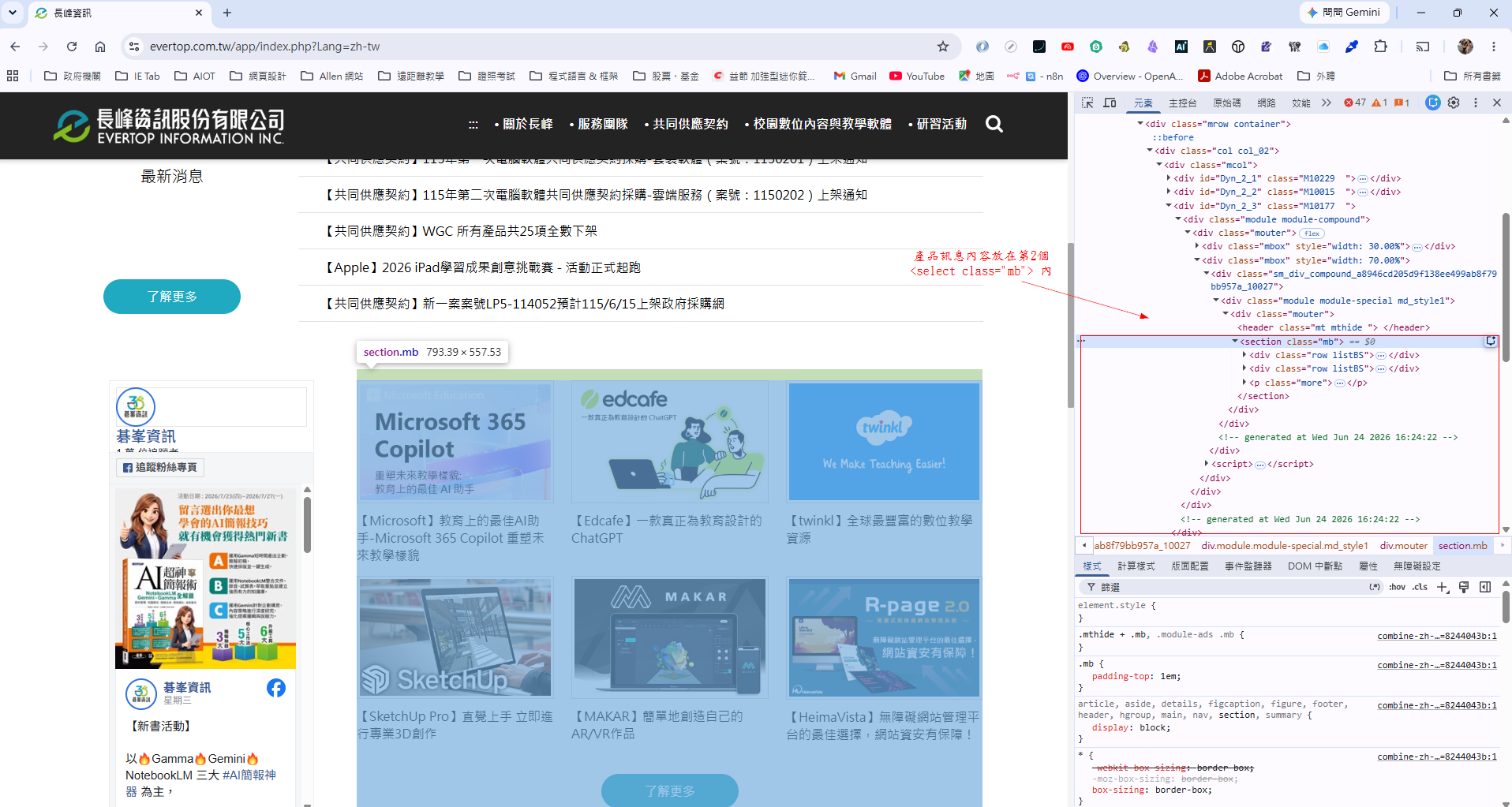
-
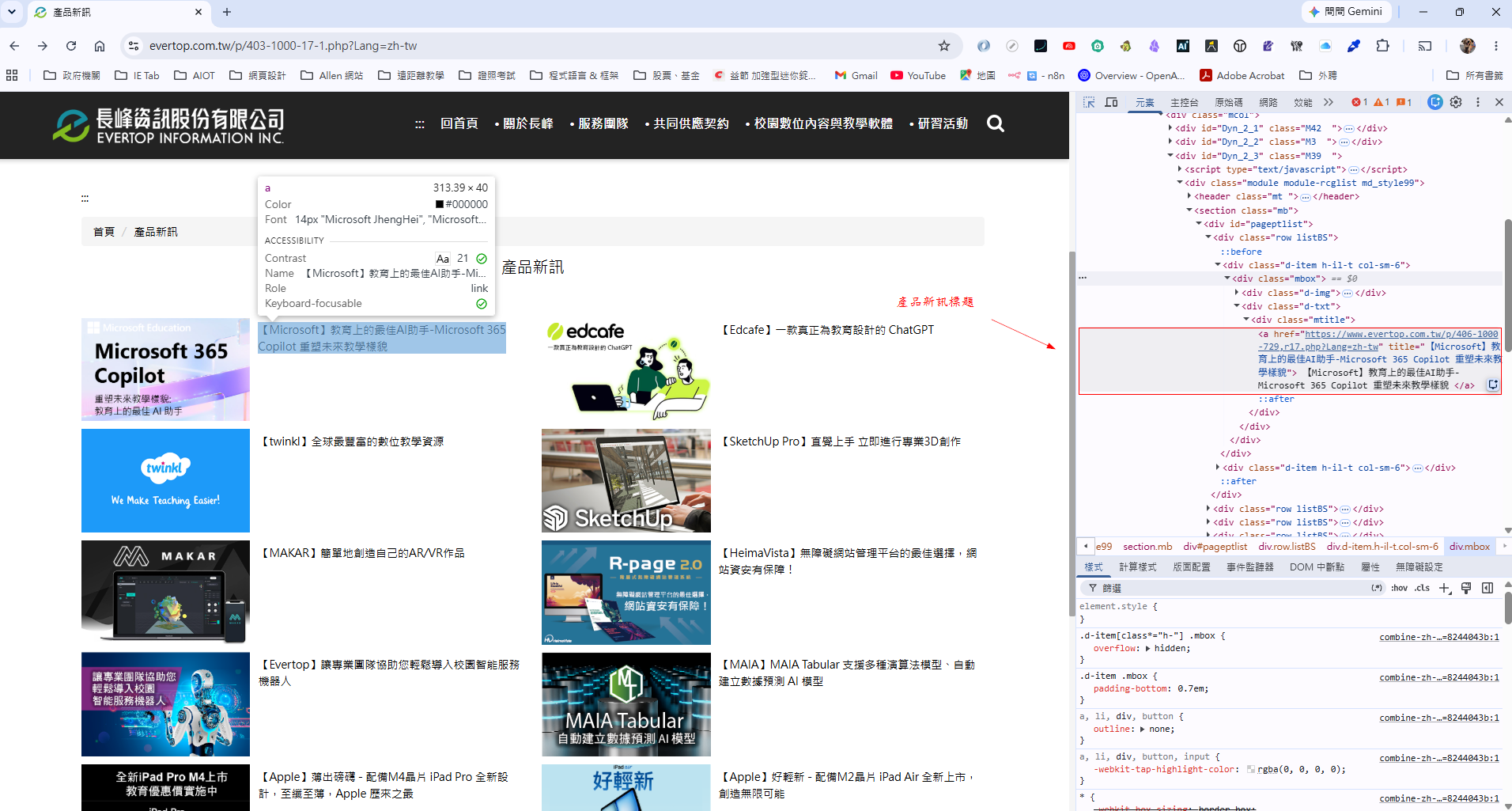
如下圖,第
2個<select class="mb">內的<img>可取得產品新訊的圖:第2個<select class="mb">中<div class="mtitle">內的<a>可取得產品新訊息標題。
程式碼:
evertopNewProducts.pyimport os import requests from bs4 import BeautifulSoup pageName='index.html' #指定網頁名稱 #捉取長峰資訊網頁 urlstr="http://www.evertop.com.tw" #長峰資訊網址 responseObj=requests.get(urlstr) responseObj.encoding='utf-8' bs=BeautifulSoup(responseObj.text, 'html.parser') #取得產品新訊的HTML區塊 data=bs.select(".mb")[1] #將產品新訊的圖檔位址放入imgSrc串列 img=data.select('img') imgSrc=[] for n in range(len(img)): imgSrc.append(img[n].get('src')) #將產品新訊的標題放入linkText串列 link=data.select('.mtitle a') linkText=[] for n in range(len(link)): linkText.append(link[n].text.strip()) #建立index.html網頁 f=open(pageName,'w', encoding='utf-8') #寫入HTML進行編排網頁 f.write('<html>') f.write('<head>') f.write('<meta charset="utf-8">') f.write('<title>長峰資訊</title>') f.write('</head>') f.write('<body>') f.write('<h2 align="center">產品新訊</h2>') #使用迴圈配合HTML、linkText、imgSrc串列編排網頁區塊 for n in range(len(imgSrc)): f.write('<div style="float:left;width:400px;height:250px;margin:10px;background-color:#E8FFE8;text-align:center">') f.write('<img src="%s%s" width="300"><br>' %(urlstr, imgSrc[n])) f.write(linkText[n]) f.write('</div>') f.write('</body>') f.write('</html>') f.close() os.system(pageName) #開啟index.html網頁
說明
第40行: 由於此行敘述過長無法排成一行,請讀者實際撰寫程式時將此行敘述撰寫成一行。
相關主題與延伸閱讀
- 1. 網路爬蟲:複習網路爬蟲的基本概念與應用場景。
- 3. requests 套件擷取網頁:本篇範例使用
requests套件擷取網頁資料的基礎方法。 - 4. BeautifulSoup 套件解析網頁:本篇範例使用
BeautifulSoup解析網頁取出所需資料的方法。 - 4. 文字檔資料的寫入與讀取:本篇範例將擷取的資料寫入 HTML 檔案,可複習檔案寫入的操作。